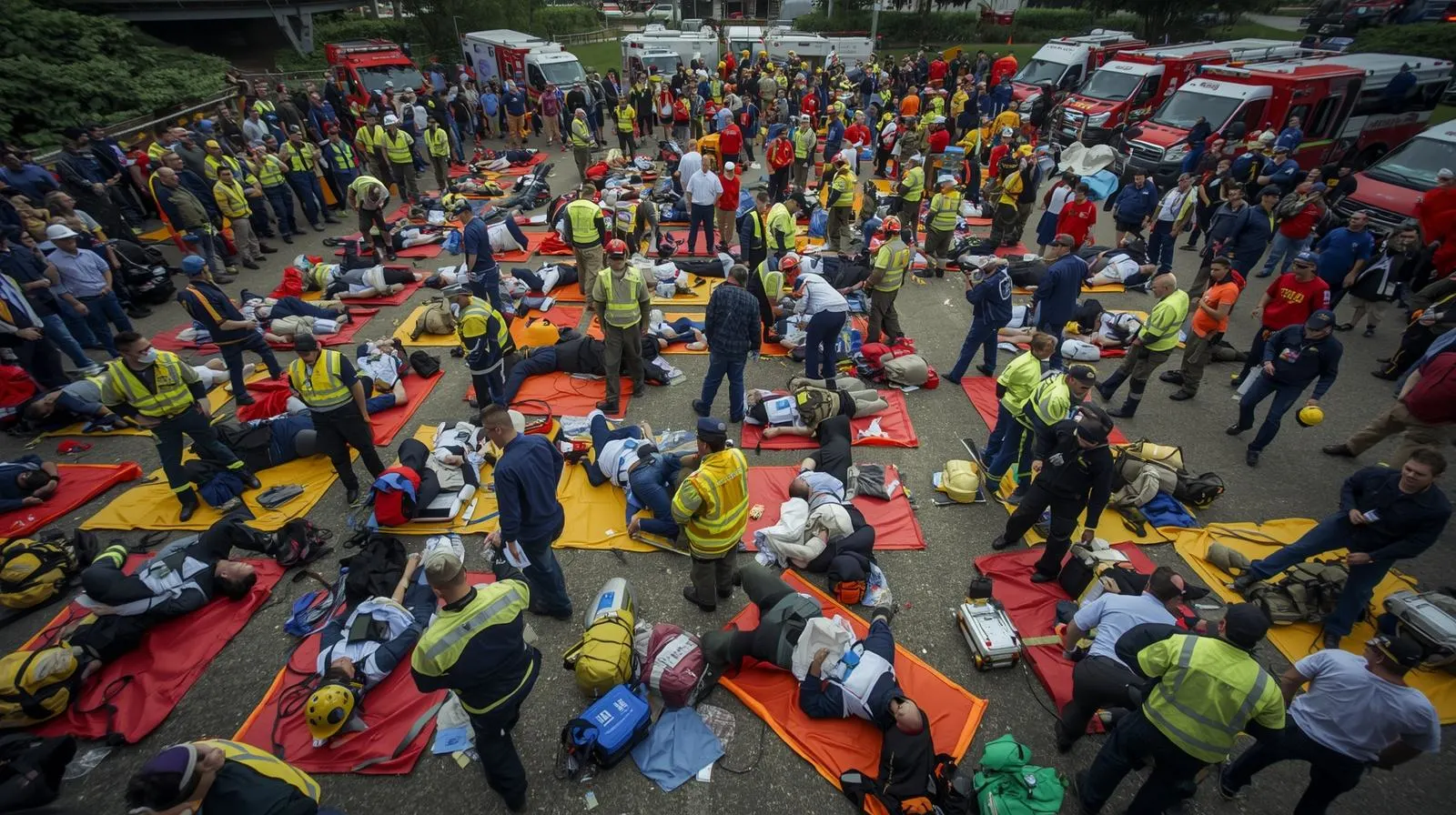

Mass Casualty Incident (MCI): Triage, START Method & Fire-Based EMS Response
A mass casualty incident (MCI) is any incident in which the number of patients exceeds the immediate capacity of available EMS resources to provide individualized care. MCIs range from two-vehicle crashes with four patients to multi-vehicle accidents, building collapses, active shooter events, industrial accidents, and natural disasters with hundreds of casualties. The fire-based EMS response to an MCI is fundamentally different from routine EMS response: when you cannot treat everyone at once, you must triage, organize, and prioritize. This guide covers the MCI framework, START triage, sector assignments, and the incident command structure for mass casualty events.
Jump to:What defines an MCI · START triage · Triage tag system · JumpSTART (pediatric) · MCI sector assignments · ICS at an MCI · Patient transport priority · Communications · Special MCI types · FAQ
What Defines a Mass Casualty Incident
An MCI is not defined by a specific number of patients — it is defined by the relationship between the number of patients and the available resources. Three patients at a remote location with one first responder is an MCI. Ten patients in an urban area with six ALS units on scene may not be. The triggering question is: Can I give every patient the care I would give if they were my only patient? When the answer is no, MCI protocols activate.
Most departments define three or more action levels:
- Level 1 (minor MCI): 5–15 patients; manageable with mutual aid; standard ICS command structure
- Level 2 (moderate MCI): 15–50 patients; requires regional mutual aid, hospital notification, and expanded ICS
- Level 3 (major MCI): 50+ patients; activates regional or state emergency management; potential federal resource request
START Triage: Simple Triage and Rapid Treatment
START is the most widely used primary triage system in the United States. It is designed to be performed in 30–60 seconds per patient by any trained first responder — you do not need to be a paramedic to triage with START. The goal is categorization, not treatment. You are sorting patients, not treating them.
START triage algorithm
Triage Tag Color System
| Color | Category | Definition | Treatment priority |
|---|---|---|---|
| RED | Immediate | Life-threatening injury; patient can survive with immediate intervention; will die without it | First priority; treat and transport immediately |
| YELLOW | Delayed | Serious injury but patient can wait 30–60 minutes without immediate life threat; stable vital signs | Second priority; monitor and transport after REDs |
| GREEN | Minor | Ambulatory; minor injuries; the "walking wounded"; can wait for extended periods | Lowest priority; treat and transport last or self-transport |
| BLACK | Deceased/Expectant | Deceased, or injuries so severe that survival is not expected even with full resources available | No treatment resources allocated; maintain dignity and document |
BLACK does not always mean dead. In a true MCI, some patients who are alive but have injuries incompatible with survival given available resources may be tagged BLACK (Expectant). This is the hardest decision in MCI response and is a system-level decision based on resource availability — not a clinical judgment about individual worthiness. In daily EMS, you treat everyone. In a true MCI, withholding resources from the expectant allows more patients to survive overall.
JumpSTART: Pediatric MCI Triage
Children have different physiologic norms than adults. A respiratory rate of 30 is abnormal in an adult but normal in an infant. JumpSTART modifies the START algorithm for pediatric patients (approximately birth through adolescence):
- Respirations: Not breathing → open airway → check for pulse. If pulse present and not breathing: give 5 rescue breaths → re-assess → if breathing begins: RED. If still apneic: BLACK. If no pulse: BLACK.
- Rate: <15 or >45 breaths/min = RED (vs. 30 for adults in START)
- Perfusion: No palpable peripheral pulse = RED
- Mental status: Uses AVPU scale (Alert, Verbal, Pain, Unresponsive) instead of follow commands. P or U = RED; A or V = YELLOW.
MCI Sector Assignments
An MCI requires specific functional sectors assigned to individuals or companies. These are typically established by the first arriving officer and expanded as resources arrive:
| Sector | Function | Who staffs it |
|---|---|---|
| Triage | Primary patient sorting using START/JumpSTART; apply tags; report patient counts by category to command | First arriving EMS crew(s); rotate rescuers to prevent tunnel vision |
| Treatment | Provide appropriate care to patients in each color category; organized into RED, YELLOW, and GREEN treatment areas | ALS providers for RED; BLS for YELLOW/GREEN |
| Transport | Coordinate patient loading and destination assignment; track which patients went to which hospital; communicate with hospitals | EMS supervisor or designated officer |
| Staging | Manage incoming resources; direct ambulances and apparatus to appropriate positions; prevent congestion at scene | Designated staging officer; typically positioned away from the immediate scene |
| Extraction/rescue | Remove patients from vehicles, debris, or entrapment; hand off to triage sector when free | Fire rescue companies; technical rescue if required |
| Safety | Monitor scene for secondary hazards; protect crews from traffic, fire, structural hazard, or hostile actor | Safety officer designated by IC |
ICS at an MCI
MCI response uses the standard ICS structure, typically expanded to include Operations, Medical Group, and Logistics at minimum. Key positions:
- Incident Commander: Overall scene management; strategy; resource requests; media; hospital coordination
- Medical Group Supervisor (MGS): Manages all patient care functions including triage, treatment, and transport sectors
- Triage Officer: Reports directly to MGS; manages triage sector
- Treatment Officer: Manages treatment areas by color category
- Transport Officer: Manages ambulance assignments and hospital destinations
- Staging Officer: Manages resource staging area
At a small MCI (5–10 patients), the first arriving officer may manage IC and MGS simultaneously while individual crews manage sectors. As resources arrive, positions are formally assigned and expanded.
Patient Transport Priority
Transport priority follows triage color in RED-YELLOW-GREEN order. Critical decisions for the Transport Officer:
- Hospital notification and capacity: Contact hospitals (via dispatch) with patient counts by triage category before the first transport. Hospitals activate their disaster plans based on this information. Do not send all critical patients to the closest hospital without confirming capacity.
- Hospital capability matching: Trauma center for RED patients with penetrating or major trauma. Burns center for significant burn patients. Pediatric center for critical pediatric patients. Not all closest hospitals have the right capability for every patient type.
- Distribution: Spread patients across multiple hospitals to avoid overwhelming one facility. The Transport Officer tracks cumulative patient counts at each receiving hospital in real time.
- Air medical resources: Helicopter transport is appropriate for critically injured patients where ground transport time to a trauma center exceeds the time benefit of air. Request early — helicopter availability and weather can affect the decision.
MCI Communications
Communication failures are the most common operational problem at MCIs. Establish these from the first minutes:
- Single command channel: All sector officers communicate with IC on one designated command channel. Do not allow multi-channel confusion.
- Standardized reporting: Each sector reports patient counts in triage category format: "Triage reports 3 RED, 7 YELLOW, 12 GREEN, 2 BLACK." This format gives IC exactly what is needed for resource decisions.
- Hospital pre-notification: Dedicated radio channel or phone contact with hospital emergency departments. Provide: incident type, total patient count, triage category breakdown, ETA of first transport.
- Face-to-face briefings: As command posts become complex, short face-to-face briefings between IC and sector supervisors supplement radio communication and prevent information from being lost.
Special MCI Types
Active shooter / TECC
Active shooter events require Tactical Emergency Casualty Care (TECC) protocols where EMS and fire operate in close coordination with law enforcement. The response is zoned: hot zone (law enforcement only), warm zone (rescue task forces of law enforcement + EMS), and cold zone (standard EMS operations). Hemorrhage control (tourniquets, wound packing) is the primary life-saving intervention in penetrating trauma from firearms.
Hazmat MCI
Hazmat MCIs require decontamination before medical treatment. Contaminated patients must not enter the treatment area before decontamination — this contaminates treatment personnel and equipment. Set up the decon corridor between the hot/warm zone and the treatment area. ALS personnel in appropriate PPE stage in the warm zone to provide critical care during decon when required.
Building collapse MCI
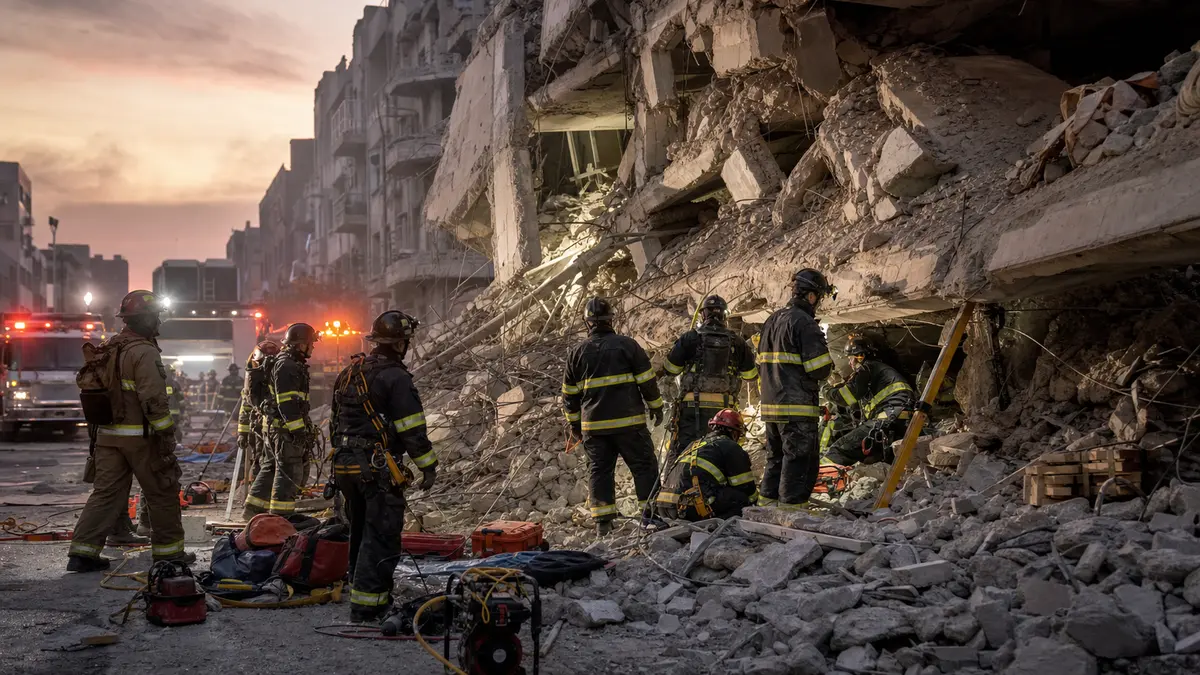
Collapse MCIs combine technical rescue with mass casualty management. Patients are extracted over an extended period rather than all at once. Triage must be repeated as new patients are extracted. USAR teams manage victim access; EMS manages treatment and transport as patients come out.
Frequently Asked Questions
What is START triage?
START (Simple Triage and Rapid Treatment) is the primary MCI triage system used across the United States. It categorizes patients in 30–60 seconds using three assessments: respirations, perfusion, and mental status. Patients are tagged RED (immediate), YELLOW (delayed), GREEN (minor), or BLACK (deceased/expectant) based on the results. Any trained first responder can perform START.
What does black tag mean in triage?
Black tag in triage means deceased, or in a true MCI, "expectant" — a patient whose injuries are so severe that survival is not expected given available resources. Expectant tagging is a system-level decision made to allocate limited resources to the most patients who can survive, allowing the greatest number of lives to be saved. This is the most ethically difficult aspect of MCI response.
How is an MCI different from a regular EMS call?
In routine EMS, all resources are directed to the individual patient and the goal is to optimize care for that patient. In an MCI, resources cannot meet the individual care need of every patient simultaneously. The goal shifts from "best care for one patient" to "the most lives saved with available resources." This requires categorization (triage), prioritization, and organized distribution rather than individual patient management.
What is the role of fire companies at an MCI?
Fire companies at an MCI typically perform: patient extraction from vehicles or debris, primary triage using START, hemorrhage control during initial patient contact, ICS sector management (safety, staging, extrication), and supporting EMS operations with personnel and equipment. In fire-based EMS systems, firefighter-paramedics and EMTs may also staff treatment and transport sectors directly.

Comments 0
No comments yet. Be the first to share your thoughts!
Leave a Comment